Samsung Adds AI Assistant Features to Interactive Displays for Classrooms
2026-08-19 · via Samsung
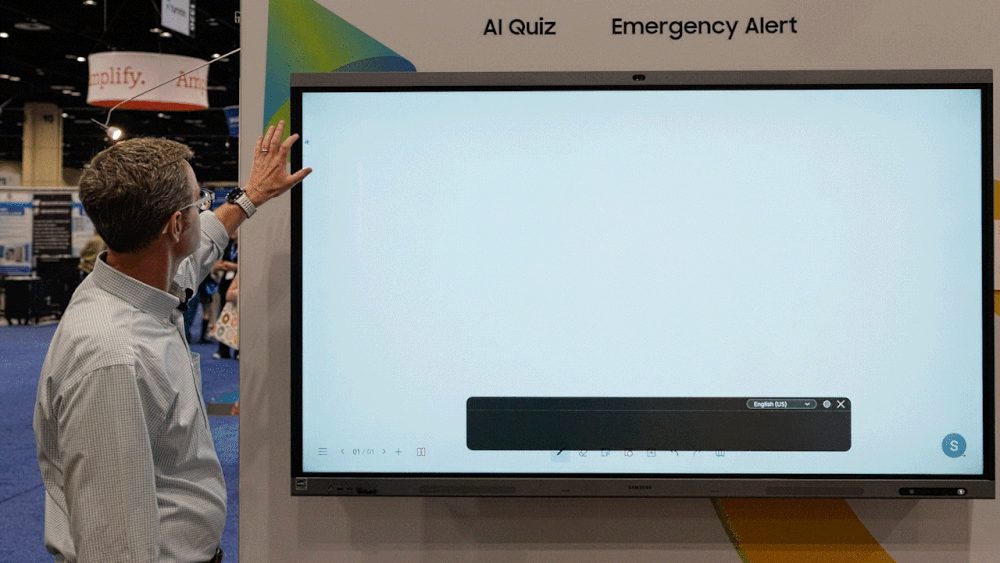
Samsung has detailed a set of AI-powered tools built into its Android-based Interactive Displays, aimed at teachers running lessons on the company's classroom display hardware. The features, bundled as Samsung AI Assistant, are not new displays but software additions to compatible existing units, and availability depends on model and region, according to Samsung.
The headline features are Live Transcript, Circle to Search, AI Quiz and My Lessons. Live Transcript converts a teacher's speech into on-screen text in real time, with adjustable language, font size and position. Paired with Samsung's screen sharing app, students can also view the transcript on their own devices if those devices sit on the same network as the display, the company says.
Circle to Search lets a teacher circle an image or object on screen to pull up related images, video and web results, which can then be dragged onto the whiteboard. Samsung says this cuts down on time spent manually searching for supporting material mid-lesson.
AI Quiz generates quizzes from lesson transcripts and uploaded materials, which students join via QR code or link, with a results dashboard for teachers. My Lessons automatically archives voice-recorded lessons along with transcripts and AI-generated summaries.
For operators and integrators serving the education market, this is a firmware/software layer that adds value to already-installed interactive panels rather than a new hardware push, which matters for schools weighing refresh cycles against feature upgrades. Samsung includes several caveats: an external microphone is required for voice features and is not included, accuracy of AI outputs is not guaranteed, and transcript language support varies by model and region. The announcement does not specify which display models qualify, nor pricing or rollout timing beyond "compatible" Android-based units. Commentary in the release comes from integrator partners STS Education and Birmingham City Schools, both framed as endorsements rather than independent evaluation.
The announcement in full
Reproduced from Samsung for reference. Digital Signage Magazine did not write the text below.
Helping every student stay engaged and supported throughout a lesson requires teachers to balance instruction, interaction, and individual learning needs. Managing these different needs while maintaining lesson flow can add to a teacher’s workload.
Samsung AI Assistant is a built-in app for compatible Android-based Samsung Interactive Displays 1 that helps teachers support every stage of a lesson with AI-powered features. 2 With features including Live Transcript, Circle to Search, AI Quiz and My Lessons, teachers can support more accessible instructions, quickly bring additional learning resources into class and review student understanding.
Watch the video below to see how Samsung AI Assistant helps teachers enhance classroom engagement across every stage of a lesson.
Live Transcript: Begin Class With More Accessible Instruction
In classrooms, it is important that every student can understand and follow classroom instruction. In larger lecture rooms, the teacher’s voice can be harder to hear, and for some students, spoken instruction alone may not always be enough.
Samsung AI Assistant’s Live Transcript 3 feature converts teachers’ spoken instructions into real-time text displayed on the screen, helping students follow along with the lesson. Teachers can adjust the transcript’s language, font size and screen position to accommodate different classroom needs.
When paired with Samsung’s screen sharing app, 4 students can also view the Live Transcript on their own devices, 5 helping them stay connected to the lesson even if they are seated farther from the display or have difficulty hearing.
Grant Wilson, Solution Architect AV/IFP at STS Education, highlighted how Live Transcript can help students stay connected and better follow classroom instruction.
“Kids these days are turning on transcripts, even as they’re watching movies at home, and it’s helping with their understanding,” said Wilson. “What I really like is that you can pair it with the Samsung screen sharing app, so every student in the classroom has a front-row seat to the screen from their own device.”
Circle to Search: Expand Context in Every Lesson
During the lesson, teachers may need to introduce additional examples and resources to help students connect classroom concepts to real-world context. Finding relevant materials during a lesson, however, can take time.
Circle to Search lets teachers circle any image or object displayed on the screen to quickly find related images, videos and relevant web resources. 6 Teachers can add search results directly to the whiteboard by pressing and holding the selected results, making it easier to introduce diverse examples and expand on a topic while keeping students focused.
Tambra Clark, Technology Integration Facilitator at Birmingham City Schools and a Samsung Solve for Tomorrow Top 10 winner, highlighted how Circle to Search helps teachers quickly bring relevant resources into lessons.
“Being able to use that Circle to Search feature just saves a lot of time where you don’t have to go in and type in certain words, content or videos,” said Clark. “Everything comes up at once simply by circling that word.”
AI Quiz and My Lessons: Review Learning and Continue Beyond the Classroom
As the lesson wraps up, Samsung AI Assistant helps teachers review student understanding using AI Quiz.
Teachers can generate quizzes based on transcripts from recorded lessons and uploaded materials. Because AI Quiz generates questions based on lesson transcripts and uploaded materials, it helps keep quizzes aligned with what was taught in class.
After a teacher creates an AI Quiz, students can join the quiz from their own devices using a QR code or link. Once students submit their answers, teachers can reveal the correct answers on the screen after each question and provide explanations. The results dashboard then helps teachers review comprehension and identify topics that may require further instruction.
“You can see where the students are at, and you’re able to identify areas of improvement with that quiz,” said Clark.
Beyond quizzes, voice-recorded lessons are automatically saved in My Lessons, where teachers can revisit transcripts, review AI-generated summaries and share materials for future classes.
Shaun Taylor, Director of Sales at STS Education, highlighted how these features can help teachers adapt instruction for every student in the classroom.
“The word that I would use from my experience is differentiation,” said Taylor. “Having tools that allow students to engage at their own pace helps support different learning needs.”
From supporting accessible instruction to expanding classroom exploration and helping teachers review student understanding, Samsung AI Assistant enables more engaging and accessible learning experiences directly through Samsung Interactive Displays.
Supported on compatible Android-based Samsung Interactive Displays only. Feature availability may vary by model and region. ︎
Samsung AI Assistant may provide inaccurate information. Samsung cannot guarantee the accuracy or reliability of its responses. Your inputs and data are not used for model training. Accuracy of AI features may vary depending on audio quality and environment. An external microphone is required for voice-related features and is not included. ︎
Supported languages for Live Transcript may vary by model and region. Accuracy of AI features may vary depending on audio quality and environment. An external microphone is required for voice-related features and is not included. ︎
Supported on compatible Android-based Samsung Interactive Displays only. Feature availability may vary by model and region. ︎
The personal device and Samsung Interactive Display must be connected to the same network. Connection availability may vary depending on the operating system supported by the personal device. ︎
Samsung AI Assistant may provide inaccurate information. Samsung cannot guarantee the accuracy or reliability of its responses. Your inputs and data are not used for model training. ︎